Ti-ti-timers · Your everyday timer app

Countdowns.
Your way.

Save named timers, plan work and break stages, and keep a checklist beside your countdown. Start your routines whenever you’re ready.

iPhone · iPhone Duo · iPad · Apple Watch · Mac · Apple TV

Scroll. See what a little time can do.

The little things add up.

Saved timers.
Flexible daily routines.
Ready when you areTi-ti-timers

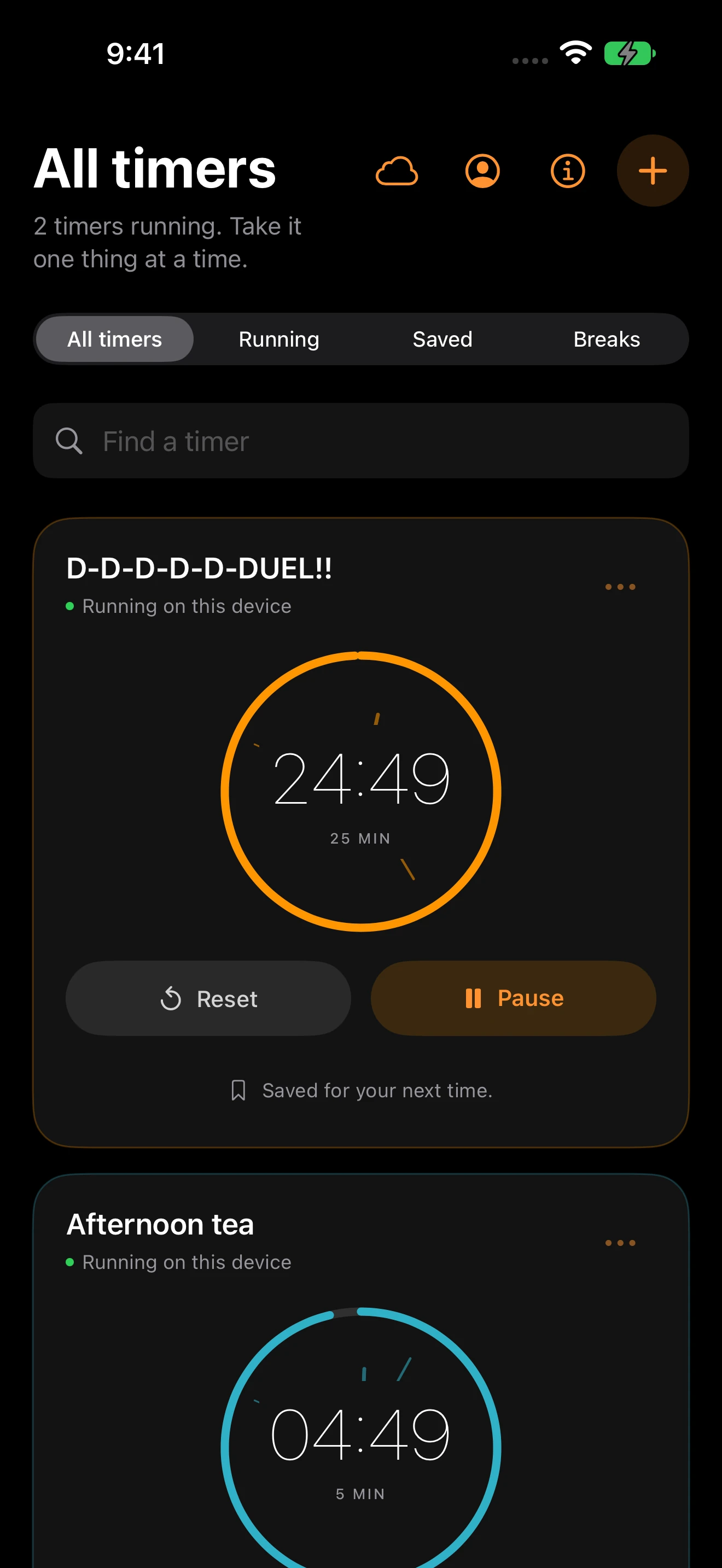
D-D-D-D-D-DUEL!!

24:4925 MIN

A familiar routine. A fresh start.

Interactive illustration of the app’s features.

Save it once. Start it your way.

Routines without
the rigid routine.

Name a countdown and keep it. Start your saved timers whenever you’re ready, even when every day begins a little differently.

Reusable timers, duplication and search. Automatic calendar recurrence isn’t included.

A checklist inside your countdown.

Little steps.
One clear finish line.

Pack your bag. Grab your keys. Fill your bottle. Keep the things you want to finish right beside the time you have left.

Checklists live with their timer, ready to use again.

Focus. Pause. Find your next step.

A break belongs
in the plan.

Build a routine with a different duration for every stage. Let it move to the next part automatically, or choose when to continue.

Save named breaks. Reuse them between work sessions.

A kinder kind of countdown.

Some days need
a little encouragement.

Turn on encouragement mode for a gentler message when time’s up. A fresh start is always an option.

“It’s OK. Try again later.”
Make it yours. Right here.

A little color.
A whole lot of you.

Try a countdown, pick a color and check off a few small things.

Ready when you areBrowser preview

D-D-D-D-D-DUEL!!

25:0025 MIN

Your next little stretch of time.

0 of 3 little things

Demo only. Keep this page open; it does not create system alarms.

Your countdown

8 seconds of focus, a 4-second break, then a 4-second finish.

A color for every timer

Changing this timer’s color keeps its countdown intact.

Small details. Your choice.

Preview the app’s own tones. Device sound settings still matter.

Meet iPhone Duo.

A little pocket.
A bigger picture.

Close it for a focused countdown. Open it to make room for more of your day.

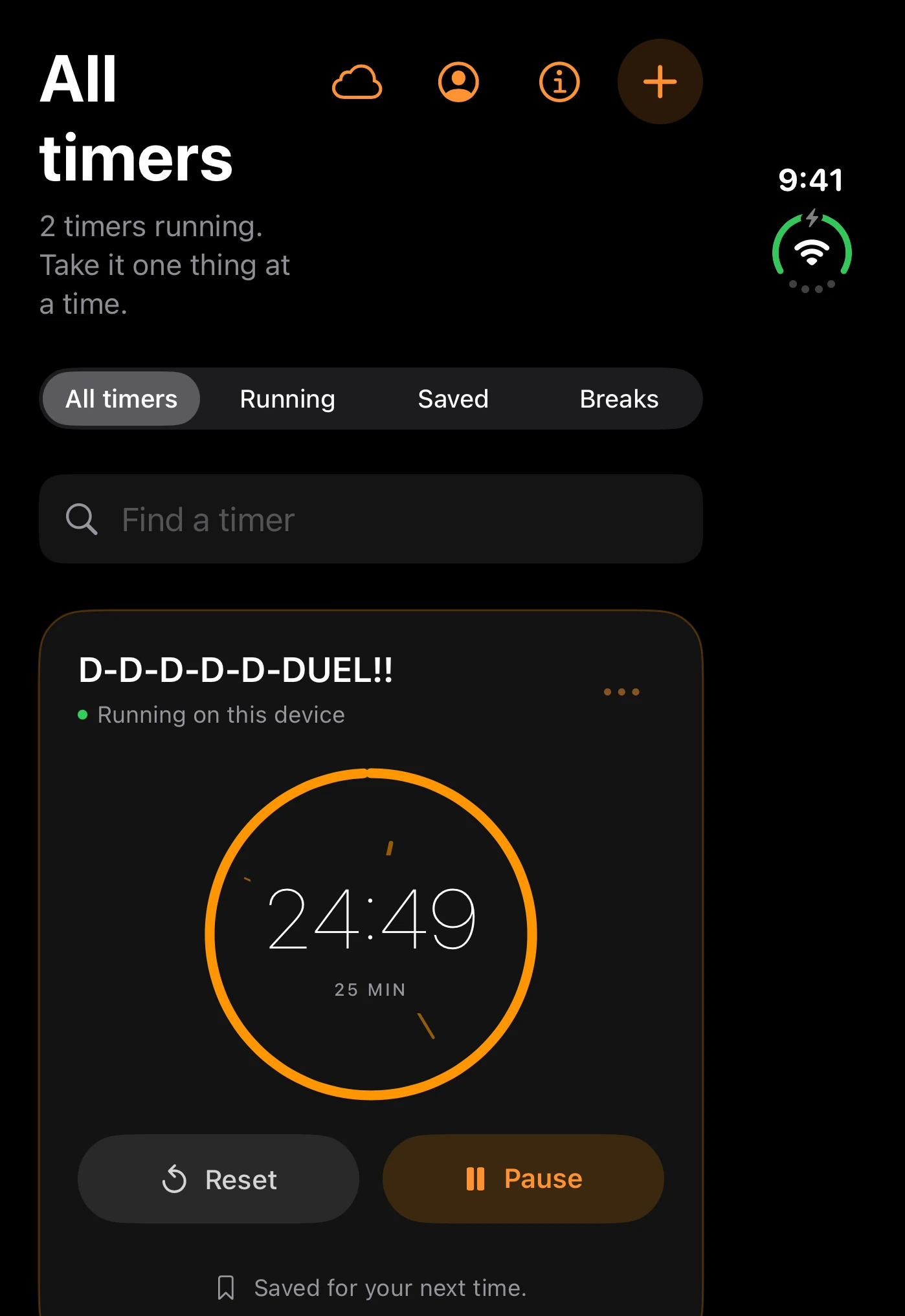
Folded outer display · 1398 × 2034

Native screenshot previews. Full device acceptance is still in progress.

Ti-ti-timers running on the folded iPhone Duo outer display

One idea. Every kind of screen.

A timer app for
your Apple devices.

Explore Ti-ti-timers for iPhone, iPad, Apple Watch, Mac and Apple TV, including folded and unfolded iPhone Duo previews.

iOS 17+ · universal mobile app

A little time,
wherever you are.

Keep your saved routines close. Start a countdown, check a task and make room for a break.

iOS 17+

Countdown timers for iPhone

Save named countdowns for recurring routines without choosing a fixed daily start time. Give each timer its own color, checklist and completion tone. The universal iPhone and iPad app includes the Apple Watch companion.

iPadOS 17+

Multiple timers for iPad

Use the larger timer grid to keep several countdowns in view. Prepare study sessions, edit task lists and set a different duration for each stage. Apple Pencil is optional; the app uses ordinary touch controls.

watchOS 10+

Apple Watch timer companion

Start, pause and check named countdowns from your wrist. Repeating sound and haptics require the Watch app to remain active. Continuous screen-off or background ringing and vibration are not yet supported.

macOS 14+ · M1 and newer baseline

Countdown timers for Mac

Keep reusable timers beside your work, organize several tasks and restart saved routines. The Mac app and its paid upgrade are separate from mobile. Keep the Mac awake and the app running for repeating completion sounds.

tvOS 17+

Big-screen timers for Apple TV

Use the remote to control visible countdowns for family routines, study sessions and group activities. Audible alerts need the app open. Hardware generation cutoff and Apple TV purchase scope are still being decided.

Outer and inner display layouts

iPhone Duo folded and unfolded previews

Compare five folded outer-screen captures and five unfolded inner-screen captures of the same mobile app. These sample-data previews show the adaptive layout; full device acceptance and folded-header polish remain pending.

The vision for universal timers.

A change of screen.
The same finish line.

Designed to keep a timer’s identity, checklist and deadline together when you hand it to another device.

iPhone
Mac
iPad
Watch

Illustrated alert owner: iPhone. The timer stays at 24:49.

Concept illustration. Live iCloud setup, sync and handoff acceptance are still pending.

Thoughtful, right down to the seconds.

More little things
to make time your own.

See time moving.

Hour, minute and second hands sit behind readable countdown digits. Choose Subtle, Classic, Color-coded or Off.

Pick your cue.

Bell, Pulse, Chime and the public system default. Alarm delivery and volume depend on your device, operating system and permissions.

Keep what you made.

Your existing saved timers and breaks stay when a trial or subscription ends. Free limits apply to saving additional items.

Encouragement is optional.

A clear finish line when you need one. A reassuring message when you want one. Restart on your schedule.

Room to pause.

Start, pause, resume and reset independent countdowns. Duplicate a favorite instead of building it from scratch.

A tap on the wrist.

Phone and Watch haptic feedback is implemented. Continuous Watch sound and taps while inactive remain an unresolved requirement.

Free plan & Unlimited pricing

90 days.
No automatic charge.

Choose to start a 90-day trial of unlimited saved timers and breaks. Then return to the free plan, or choose an upgrade.

Free plan

Keep it simple.

$0

Up to 3 saved timers
and 3 saved breaks.

  • Named, reusable countdowns
  • Individual timer colors
  • Checklists and encouragement
  • Multistage routines
Try the page demo

Unlimited

Room for every routine.

$7.99/ year

Planned U.S. price · auto-renewing yearly subscription.

  • Unlimited saved timers
  • Unlimited saved breaks
  • Your saved items stay after expiry
See release status

Live store products are not yet configured. No purchase can be made on this page.

The trial is exactly 90 days and does not enroll you in a subscription. Monthly and yearly upgrades renew automatically; lifetime is a one-time purchase. Mobile covers iPhone, iPad and the Watch companion. Mac is purchased separately. Apple TV purchase scope is undecided. Planned U.S. prices; local prices may vary.

An honest look at what’s next.

A preview with
its feet on the ground.

This page showcases the current app and its intended platform family. It is a product preview, not an App Store launch announcement.

Version 1.0.0 · Build 10
Available in the current app code

Saved named countdowns and breaks; multiple timers; checklists; encouragement; stages with individual durations and automatic advancement; per-timer color disc, hex and RGB; clock-hand styles; selectable tones; purchase and exact 90-day trial logic; About with version/build.

Native Mac, iPhone/iPad, Watch and Apple TV targets compile. The mobile app embeds its Watch companion. Local tests and captured sample views are distinct from completed physical-device acceptance.

Alarm behavior by platform
iPhone and iPad
Native AlarmKit on system 26+ when authorized. Older systems use foreground repetition and standard notifications.
Mac
Repeating app sound needs the app process running and the Mac awake.
Apple Watch
Repeating app sound and taps require the app active. Background notifications depend on permissions. Continuous screen-off/other-app sound and haptics are not yet fulfilled.
Apple TV
Keep the app open for audible alerts. No background alerts.

Speaker volume, Focus/silent settings, permissions and actual device behavior still require acceptance testing.

Still being finished before release
  • Live billing, App Store account/product setup and sandbox device acceptance.
  • Signed hardware checks, real app reinstall, trial history and cloud propagation.
  • Live iCloud universal library and running-timer handoff.
  • Required continuous background Watch sound and haptics.
  • Duo folded header, Apple TV action labels and Watch editor toolbar polish.
  • App-wide color themes and automatic calendar recurrence are not implemented. The full Apple Clock sound catalog is not exposed.
Platforms and intended hardware
Build targets, not completed hardware certification.
VersionMinimum OSIntended scope
MacmacOS 14M1 and newer M-series; separate app and upgrade.
iPhoneiOS 17iPhone 15 generation and newer, after validation.
iPhone DuoDuo-compatible iOSFolded and unfolded layouts; separate screenshots.
iPadiPadOS 17Specified Pro, Air, iPad and mini models; Pencil optional.
Apple WatchwatchOS 10Companion with independent operation; specified Series, Ultra and SE models.
Apple TVtvOS 17Minimum hardware generation and commercial scope pending.

Intel Macs are outside the current baseline. MacBook Neo remains a separate scope decision. A deployment target does not certify every current or future device.

Make a routine you can reuse.

Focus timers.
Breaks. Everyday tasks.

Build a countdown around what you want to do, then save it for the next time you need it.

A focus-and-break timer

Create a Pomodoro-style routine: 25 minutes of focused work, then a 5-minute break. Use automatic stage advancement when you want to continue without restarting each segment.

Try the multistage timer demo

A morning checklist timer

Save a 10-minute countdown with a short list: pack your bag, grab your keys and fill your water bottle. Start it when your morning starts, rather than at a fixed time every day.

Try a countdown with a checklist

Independent cooking timers

Name separate countdowns for tea, pasta or a baking step. Give them different colors so you can recognize each one quickly, then reuse the saved durations for your next meal.

Explore the native timer views

Useful answers before you start.

Ti-ti-timers FAQ

Saved timers, break routines, custom colors, pricing and platform alert behavior.

What is Ti-ti-timers?

Ti-ti-timers is a countdown timer app project for Apple devices. It combines saved named timers, reusable breaks, checklists, multistage routines, individual timer colors and optional encouragement. This website is an interactive product preview; App Store release setup is not complete.

Can I save multiple timers and start them at different times?

Yes. Save named countdowns, then start, pause, resume or reset them independently. A saved timer can be reused whenever you are ready. Automatic calendar recurrence and scheduled daily starts are not implemented.

Can a work timer automatically move into a break?

Yes. A multistage timer gives each segment its own duration and can advance automatically. For example, create 25 minutes of focus, a 5-minute break and a 10-minute finishing stage. Saved breaks can also run as named countdowns on their own.

How do I change the color of an individual timer?

Use the timer color disc, enter a hex color such as #12ABEF, or type red, green and blue values from 0 to 255. Each timer keeps its own color. App-wide theme controls remain a separate pending feature.

Can I put a task checklist inside a countdown?

Yes. Add the things you want to finish to a timer, then check them off beside the remaining time. A morning routine could include packing your bag, grabbing your keys and filling your water bottle. The checklist stays with the saved timer.

What are the free plan, trial and planned upgrade prices?

The free plan allows 3 saved timers and 3 saved breaks. Choose to start exactly 90 days of unlimited access with no automatic charge or subscription enrollment. Planned U.S. Unlimited prices are $0.99/month, $7.99/year or $14.99 lifetime. Monthly and yearly upgrades auto-renew; lifetime is a one-time purchase. Existing saved items are retained after expiry. Live store products are not configured, and no purchase is available here.

Does the mobile purchase include Mac and Apple Watch?

The planned mobile upgrade covers the universal iPhone/iPad app and its Apple Watch companion. The separate Mac app requires its own purchase. Apple TV commercial scope has not been settled.

Will the alarm keep sounding when the screen is off?

Behavior depends on platform and permissions. iPhone/iPad system 26+ uses native AlarmKit when authorized; older systems use foreground repetition and ordinary notifications. Mac needs the app running and the computer awake. Watch repeating sound and haptics require the app active; continuous background alerts remain unmet. Apple TV needs the app open. Physical alert acceptance is still pending.

Do universal timers and running-timer handoff work yet?

Live iCloud setup, cross-device synchronization and running-timer handoff acceptance remain pending. The moving timer on this page illustrates the intended experience and does not transfer a real alarm.

Does Ti-ti-timers collect bug diagnostics?

Build 10 adds an optional, default-off control in About → Privacy & diagnostics for content-free fault counts. Reports exclude timer names, tasks, raw errors, timestamps, user IDs and device IDs. Network sending is disabled until the reporting service, anonymous aggregation and connection logging are verified. The website itself has no analytics. This is not a claim of network-level anonymity.

Can I download Ti-ti-timers from this website?

Not yet. The page previews version 1.0.0, build 10 and contains a browser timer demonstration. Store setup and release acceptance remain in progress. App Store links will be added after the real listings are available.

Ti-ti-timers acorn clock app icon

A little time.
For what matters.

Try your next little countdown

Ti-ti-timers · An independent app for your everyday routines.